No Man’s Sky Cosmos on PS5: What’s New and What to Do First
September 10, 2026No Man’s Sky Cosmos adds a local system map, deep-space salvage, station directorship, alliances and orbital construction.
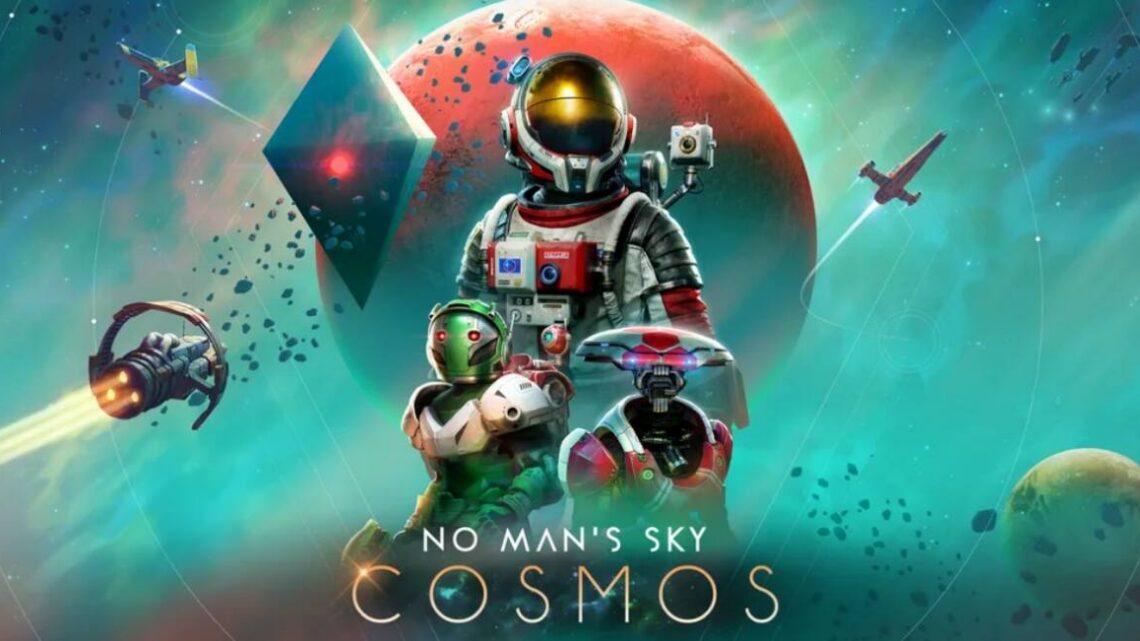
No Man’s Sky Cosmos gives returning PS5 players a new starting point: reach the Space Anomaly, open the local system map and look for deep-space points of interest. Update 7.0 became a free download for existing PlayStation players on September 9, 2026, according to the official PlayStation launch announcement.
Cosmos connects those discoveries with salvage, outposts and longer-term systems including station directorship, alliances and orbital construction. Not every part of that loop has the same access requirements, however, and the separately announced anniversary expedition was not confirmed as live in the retrieved launch-day patch notes.
How to start the Cosmos content on PS5
Cosmos adds a local star-system map to the Quick Menu. According to Hello Games’ official Cosmos patch notes, the map displays local celestial bodies, the space station and deep-space points of interest.
The important prerequisite is tied to each save: deep-space points of interest begin appearing only after that save has reached the Space Anomaly for the first time. If the new destinations are missing, check that progression milestone before assuming the update has not activated.
- Install Update 7.0 and load the save you want to use.
- If that save has not reached the Space Anomaly, continue its progression until it does.
- While in space, open the Quick Menu and select the local star-system map.
- Check the map for deep-space points of interest as well as the system’s planets and space station.
Cosmos is therefore not presented as a separate campaign selected from a new menu. Its immediate additions become part of travelling through and investigating a star system.
Deep-space salvage is the most direct demonstration of the new loop
Among the new discoveries are unstable space hulks containing physical cargo. The patch notes say a Corvette Tractor Beam can collect that cargo into the Corvette hold. Hulks also carry a risk: disrupting their structural integrity can cause them to melt down and explode.
If your save already has access to the required Corvette equipment, investigating a hulk is a practical way to see how Cosmos changes a normal space journey. Instead of moving only between planets and a station, the system map can direct you towards an encounter with salvage to recover and a hazard to manage.
The official Cosmos material also connects deep-space discoveries with outposts and processing, expanding the activity beyond finding a single wreck. The broad pattern is discovery, salvage and processing rather than a one-off mission chain.
Station directorship, alliances and orbital construction are longer-term goals
Hello Games’ Cosmos announcement presents space stations, alliances and orbital bases as part of the update’s wider focus on making space feel inhabited and customisable.
Station directorship provides rights to change exterior decorations, reshape interior layouts and add ancillary rooms. Cosmos also allows a player to join up to three alliances. Orbital construction adds another longer-term building objective beyond the initial map-and-salvage loop.
Returning players should not assume station directorship is immediately available to every save. Hello Games says prospective directors must prove themselves to local authorities, but the retrieved announcement and patch notes do not provide a complete quest path, exact cost, required currency or full eligibility conditions. Any more specific unlock instructions would need a later official clarification or verified hands-on testing.
These ownership and community systems make more sense as goals to investigate after checking the system map and trying the immediately accessible discoveries. For another service-focused breakdown of a large game update, see our guide to what returning players should check after a major survival-game update.
Is the Our Journey Continues expedition live?
Cosmos itself launched on PS5 on September 9, but the retrieved patch notes did not confirm that Expedition Twenty-Three, Our Journey Continues, was available that day. Hello Games said the expedition “will begin shortly” and run for approximately six weeks.
No firm start date or precise end date was provided in those notes. Before planning around the expedition, check the current in-game status or a newer announcement from Hello Games. The update being live does not, by itself, establish that the separate expedition has started.
What returning players should do first
- Check the prerequisite: use a save that has reached the Space Anomaly.
- Open the new map: find the local star-system map through the Quick Menu while in space.
- Choose a discovery: look for a deep-space point of interest rather than following only the usual planet-to-station route.
- Try salvage when equipped: investigate a hulk if you have access to the required Corvette Tractor Beam, while watching its structural stability.
- Explore the long-term systems: investigate outposts, station directorship, alliances and orbital construction without assuming undocumented unlock requirements.
- Verify the expedition: confirm that Our Journey Continues has begun before expecting to start it.
For returning PS5 players, the clearest first step is the system map rather than station ownership or the anniversary expedition. Reaching the Space Anomaly unlocks the documented route to deep-space points of interest; salvage and outposts provide the immediate activity; and station, alliance and orbital-building systems supply the longer-term objectives.