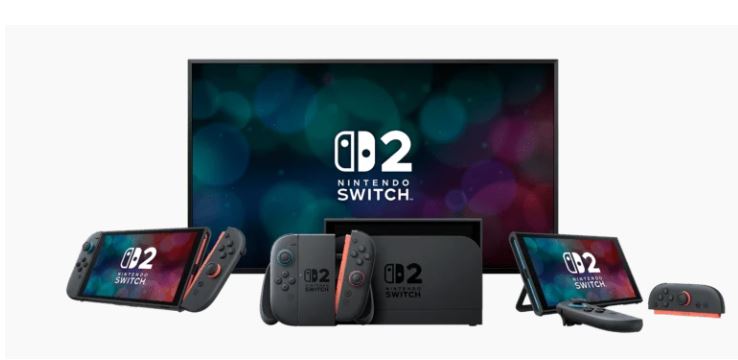
Switch 2 System Update Adds Handheld Mode Boost: Play Original Switch Games at 1080p on the Go
March 18, 2026The version 22.0.0 system update for Nintendo Switch 2 finally lets users play original Switch titles at 1080p resolution while in handheld mode, delivering docked-level graphics and processing on the move; a major feature change that was missing at launch.
With the release of the March 17, 2026, v22.0.0 system update, Nintendo Switch 2 owners can now activate “Handheld Mode Boost,” a setting enabling the console to run original Switch games as if docked, even when used in handheld mode. This directly addresses a frequent community request since the Switch 2’s launch, allowing players to enjoy the full 1080p capabilities of the device’s display, matching the output quality previously reserved for docked play.
A new #NintendoSwitch2 system update is available now, adding improvements to GameChat, the ability to add notes to your friend list, and more.
— Nintendo UK (@NintendoUK) March 17, 2026
Find out more: https://t.co/sstcg6K4d2
How the Handheld Mode Boost Works on Switch 2
The “Handheld Mode Boost” option is accessed through the Switch 2 system settings. When enabled, it lifts the typical handheld resolution cap from 720p to 1080p, matching the system’s new native handheld display and allocating additional processing power for more demanding Switch 1 titles.
- Original Switch Handheld Output: 720p
- Original Switch Docked Output: 1080p
- Switch 2 Handheld Display: 1080p Native
- Switch 2 “Handheld Mode Boost”: Plays Switch games at docked 1080p in handheld
Previously, when players used the original Switch in handheld, the system limited rendering to 720p to extend battery life and reduce heat. With the upgraded Switch 2 hardware and display, this limitation was outmoded, generating significant demand in the player community for an option to use docked mode performance in handheld. The v22.0.0 firmware directly satisfies this demand.
Nintendo notes that although the vast majority of games benefit from this upgrade, certain titles with unique docked/handheld control requirements may present compatibility warnings. Nintendo’s official guidance: “Certain functionality could be affected because of this – one example could be Pokémon Let’s Go Pikachu / Eevee, which forces the player to use detached Joy-Cons as their controller when the game is docked mode. For situations like this, players may have to turn off Handheld Mode Boost, but the vast majority of games will now run better in handheld.”
Additional Features in Switch 2 Version 22.0.0 System Update
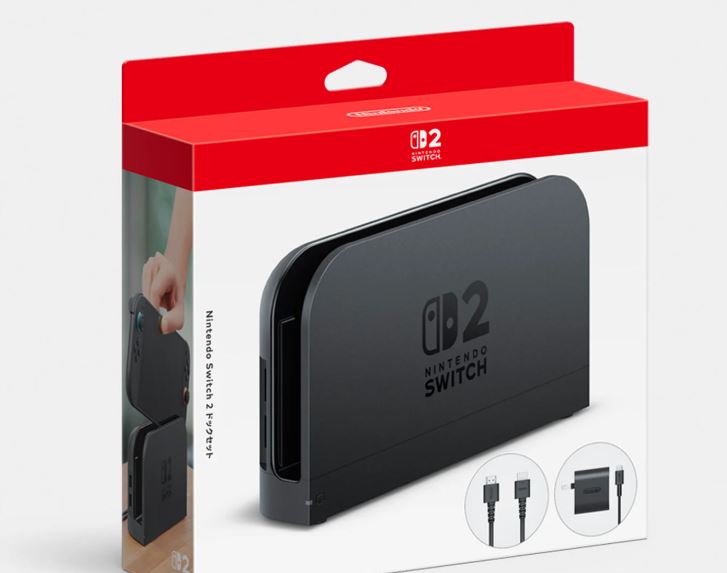
The 22.0.0 update delivers more than just Handheld Mode Boost:
- Handheld Mode Boost: Enables docked mode resolution and processing for original Switch games in handheld
- GameChat Improvements: Updated in-game chat systems for faster and clearer voice communications
- Friends List Notes: Users can now attach personal notes to entries in their Friends list, making it easier to remember who’s who
- Quick Settings Upgrade: New toggles allow individual enabling/disabling of Bluetooth, Wi-Fi, and NFC while in Airplane Mode
Nintendo UK’s official announcement on X (Twitter) stated: “A new #NintendoSwitch2 system update is available now, adding improvements to GameChat, the ability to add notes to your friend list, and more.”
This system update signifies Nintendo’s commitment to user-requested features and enhanced system flexibility, especially for those who play demanding titles on the go. The permission to customise wireless connectivity in Quick Settings also aligns with modern portable device standards.
Key Details: Switch 2 Handheld Mode Boost
- Release Date: 17 March 2026
- Switch 2 System Firmware: Version 22.0.0
- Primary Feature: “Handheld Mode Boost” option for 1080p docked performance in handheld mode for Switch 1 games
- Availability: System Settings menu after updating
- Potential Issues: Some games with specific docked-only control schemes (e.g., Pokémon Let’s Go titles) may require the setting to be disabled
- Other New Features: Friends List notes, granular wireless controls, GameChat enhancements
For instructions on enabling Handheld Mode Boost, access the Switch 2’s system settings and toggle the feature under the new “Handheld Mode” submenu.